The kitchen finally sees the floor.
The boutique iPad POS for premium hospitality. AI Aireus built in. Custom features built for you. Payment Freedom — your own choice of credit-card processor. Smart KDS bridges the kitchen and the dining room: prep times, smart timers, multiple views, bump to printer or another KDS, expo mode, and text notifications to the guest.
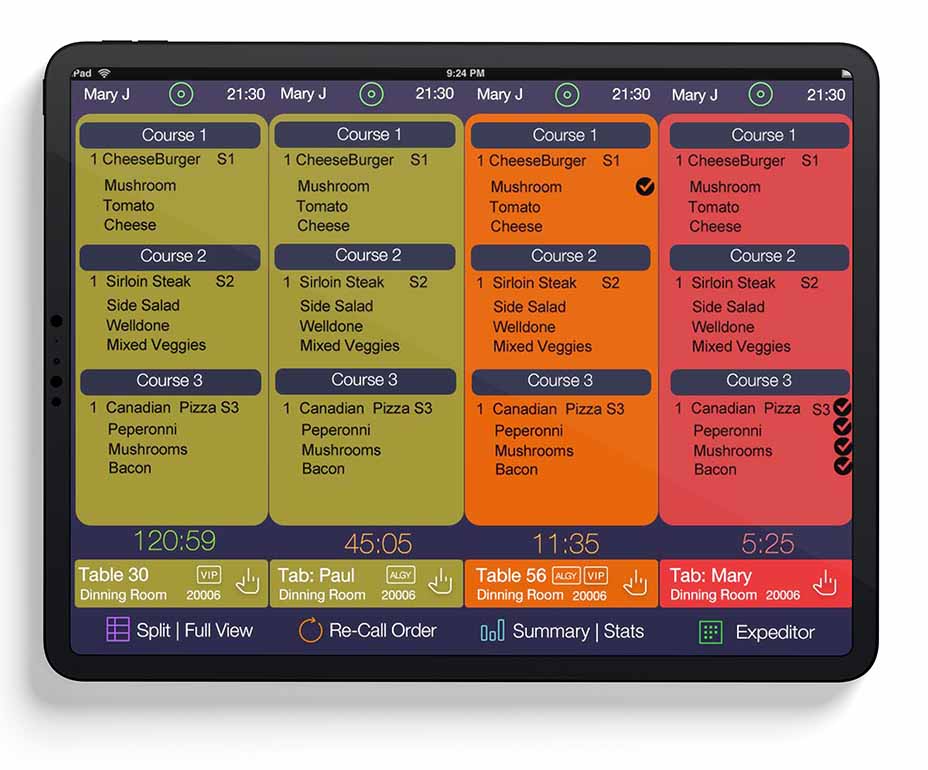
See orders the way your line actually works.
Different stations want different views. Same KDS, three modes, one tap to switch.
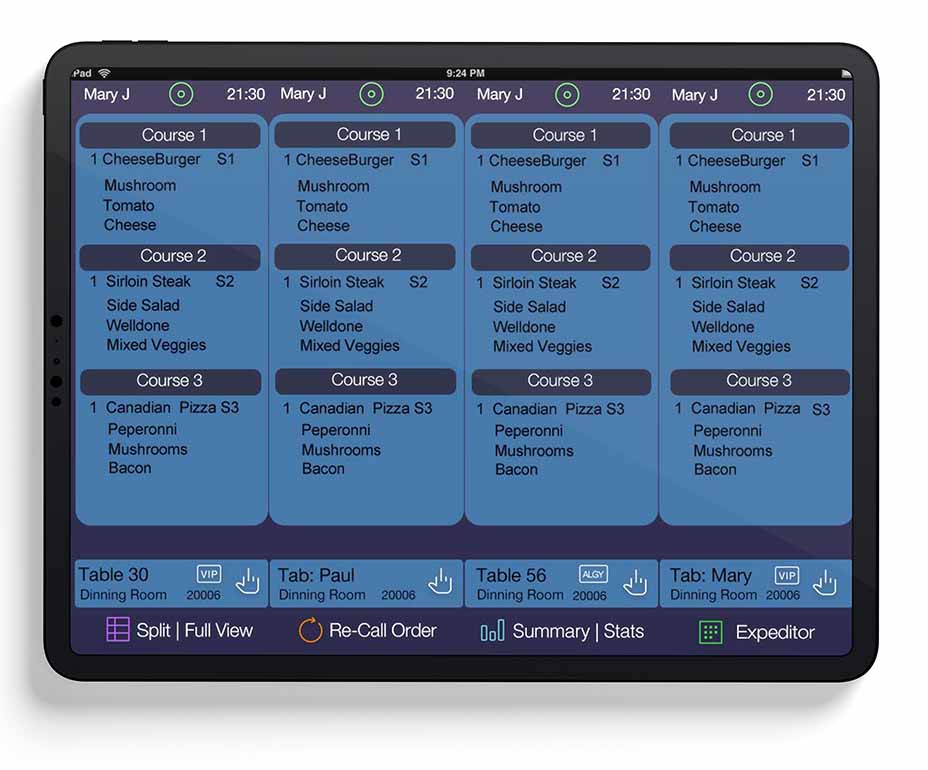
Full View
One ticket at a time, top-to-bottom. The classic line view — ideal for stations that work one order through to completion before starting the next.
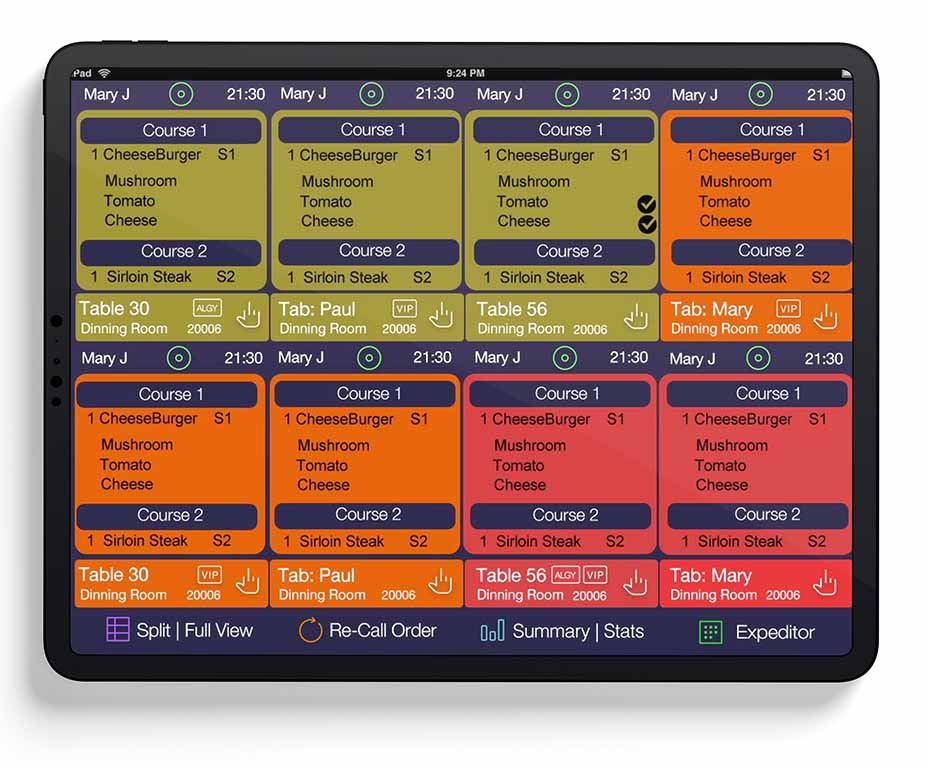
Split View
Multiple orders side-by-side. The pass and expediter view — more orders on screen at once, easier to coordinate course timing across tables.
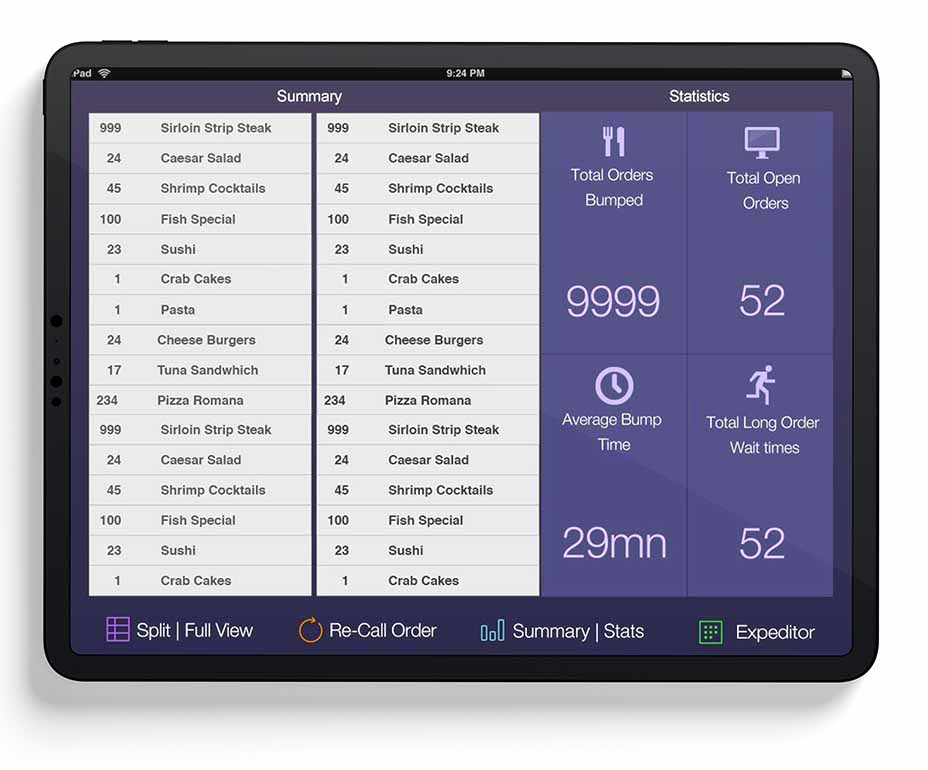
Summary Mode
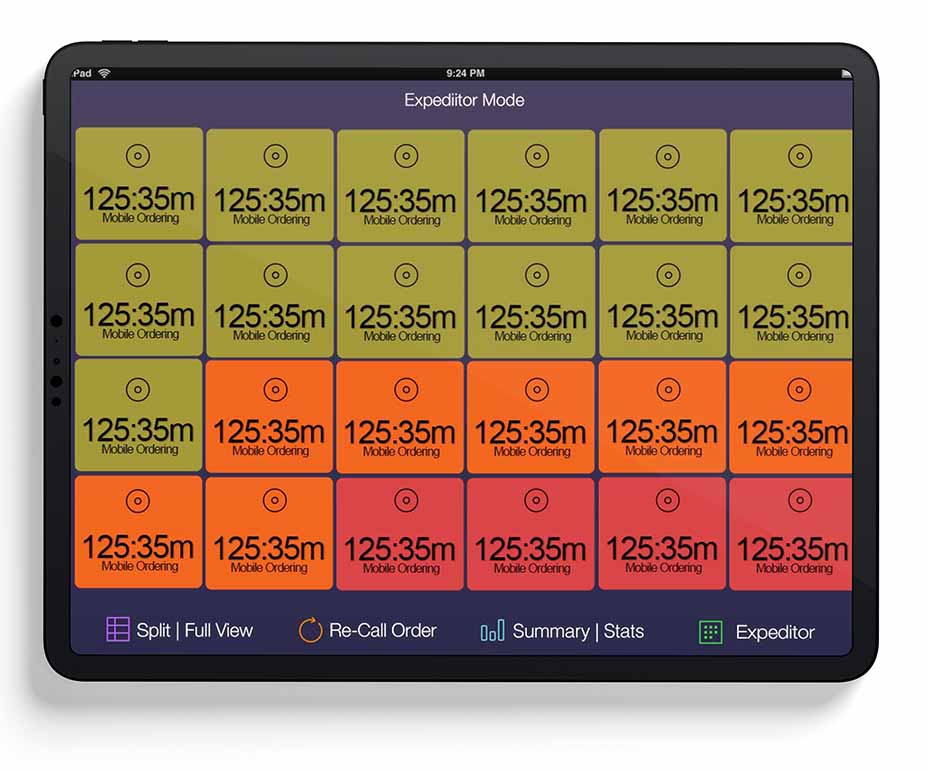
Every outstanding order at a glance. The "what's the kitchen carrying right now" view — perfect for the chef walking the line to spot bottlenecks.
Smart timers, prep times, and the bump.
Prep times that match each item.
Aireus Smart KDS sends orders to the kitchen based on each item's preparation time — so your cooks only see what they need at a glance. The starter starts first. The well-done steak fires before the salad. The line runs in sync with the dining room.
Bump between stations.
Production lines need control over their order flow. Aireus lets you bump from one iPad KDS to another — with options to notify the next station and print along the way. The garde manger finishes, taps bump, the order appears at the pass.
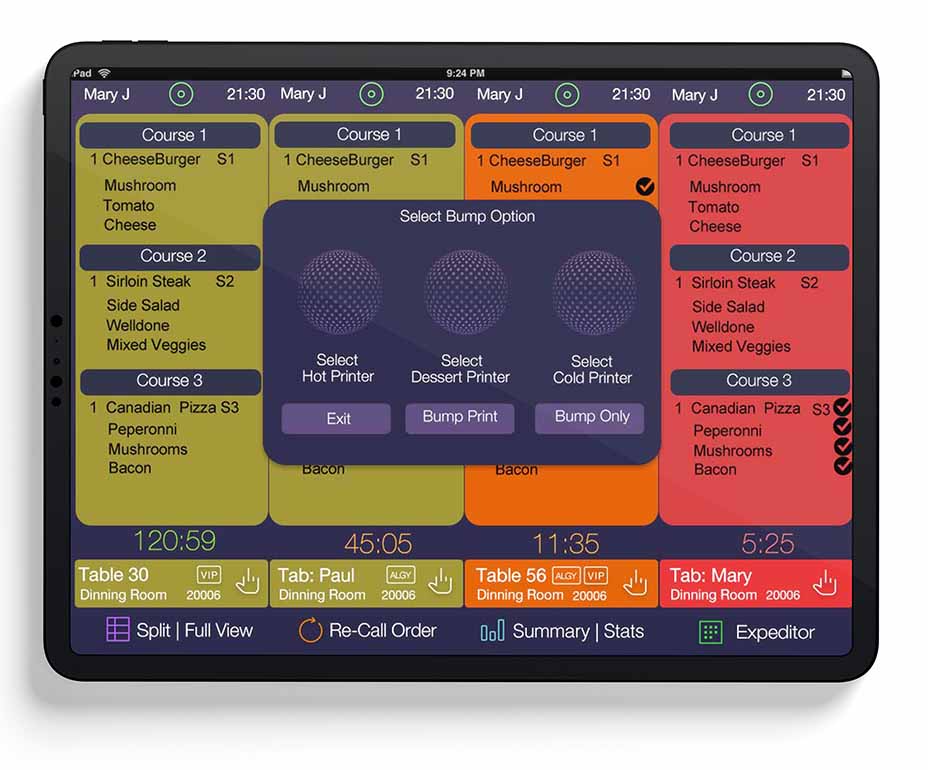
Individual item completion. Not whole-ticket.
Mark items as completed one at a time on an order so you can manage your orders more efficiently. The fries are up. The burger needs 90 more seconds. The kitchen sees it, the runner sees it, the server sees it.
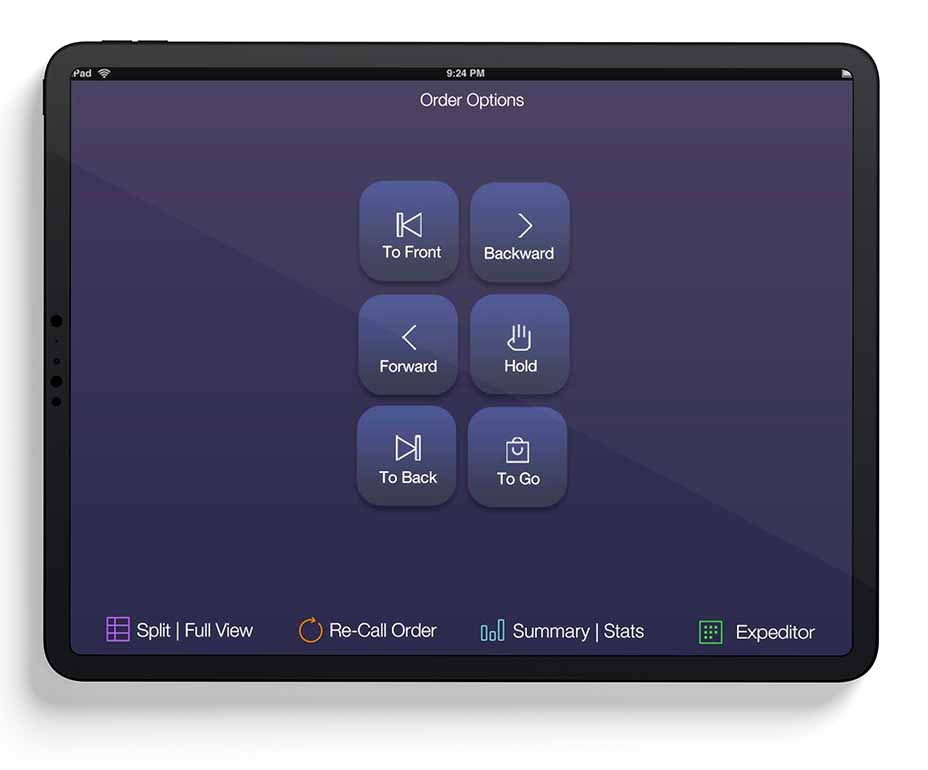
The runner knows where to deliver.
When the food is ready, bump to printer and send the order chit from KDS straight to your local print server. The runner picks up the receipt — table number, seat number, special notes — and delivers without ambiguity.
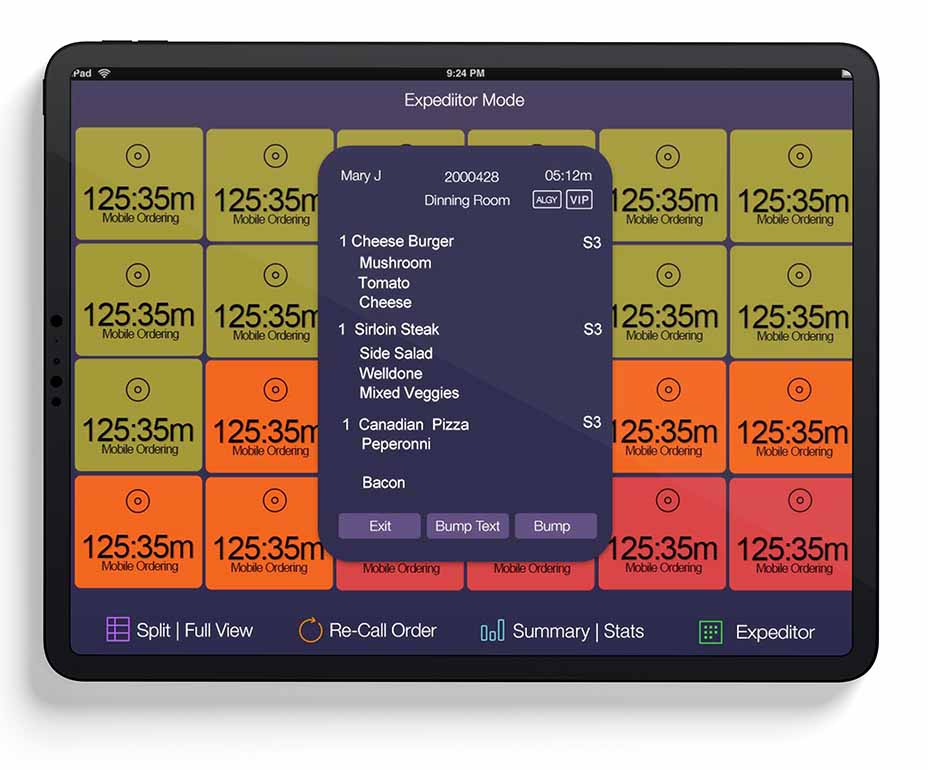
Expo Mode. Recall the bump.
Expo Mode gives the expediter a coordinated view of every ticket leaving the line — what's plated, what's pending, what's late. Bumped the wrong order. Recall Bumped Orders brings it back instantly. Mobile order management, all on one screen, all in real time.
Every order lands in the KDS. Every ticket trains the AI.
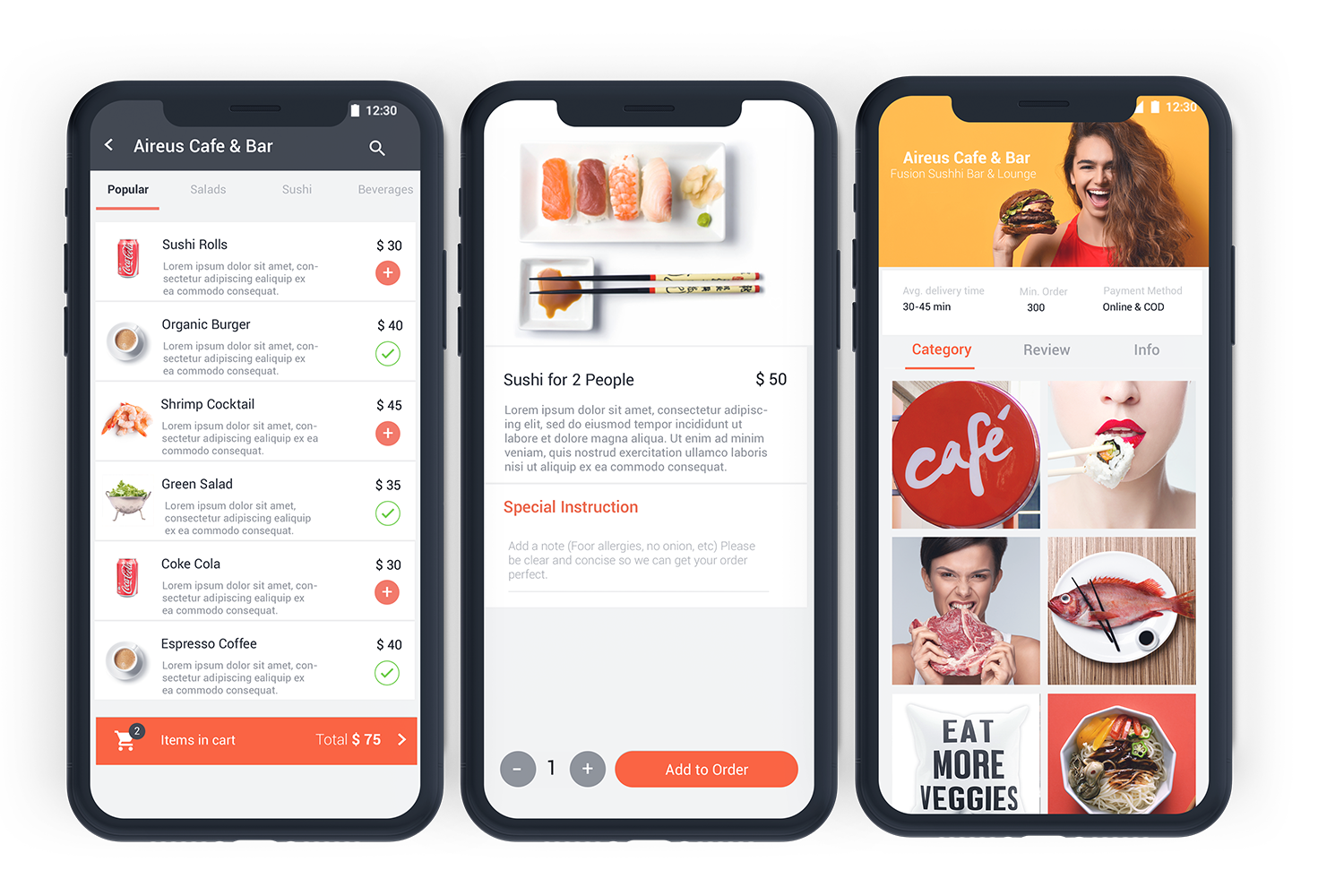
Mobile, Apple TV, in-house — every channel flows into the same Smart KDS. And every order, every prep time, every bump streams into AI Aireus in real time.
The kitchen, the manager, and the guest — all in sync.
Aireus Smart KDS sends notifications across the operation as orders move through preparation — text, email, or print, depending on who needs what.
Text customers when orders are ready.
Mobile-order guests get a text the moment their food is ready for pickup. No more "is it ready?" at the counter — your team gets time back, your guests get a better experience.
Text managers when something's off.
Aging tickets, blown prep times, station bottlenecks — Aireus sends manager-level text alerts so issues get handled mid-service, not in the post-mortem.
KDS doubles as your kitchen print server.
If your kitchen still uses printers (for runners, expediters, or specific stations), let your KDS act as a local print server — it's the traffic cop, routing the right ticket to the right printer.
PoE Adapter. One cable. Data and power.
The kitchen is hot, wet, and loud. Wifi flakes. The KDS can't. Run wireless when it suits, or use our PoE (Power over Ethernet) Adapter for a fast, secure wired connection that delivers data and power over a single cable. No battery anxiety, no rebooting at dinner.
See Smart KDS in your kitchen.
Thirty minutes. We'll show you the view modes, the prep timing, and how the bump flow works with your stations. Or call sales directly at 1-888-552-5560.